Dashboard Updates

3/20/2026 Releases: [Highlight]

by Chelsea Batschke
Release Notes

Explore this weeks updates and releases! 🔎

Conference Audience Feature Deprecation

The Conference Audience feature has been deprecated and removed as part of ongoing platform modernization efforts.

This change supports improvements to platform stability and enables new regional infrastructure.

Removal of Dashboard Info Panel

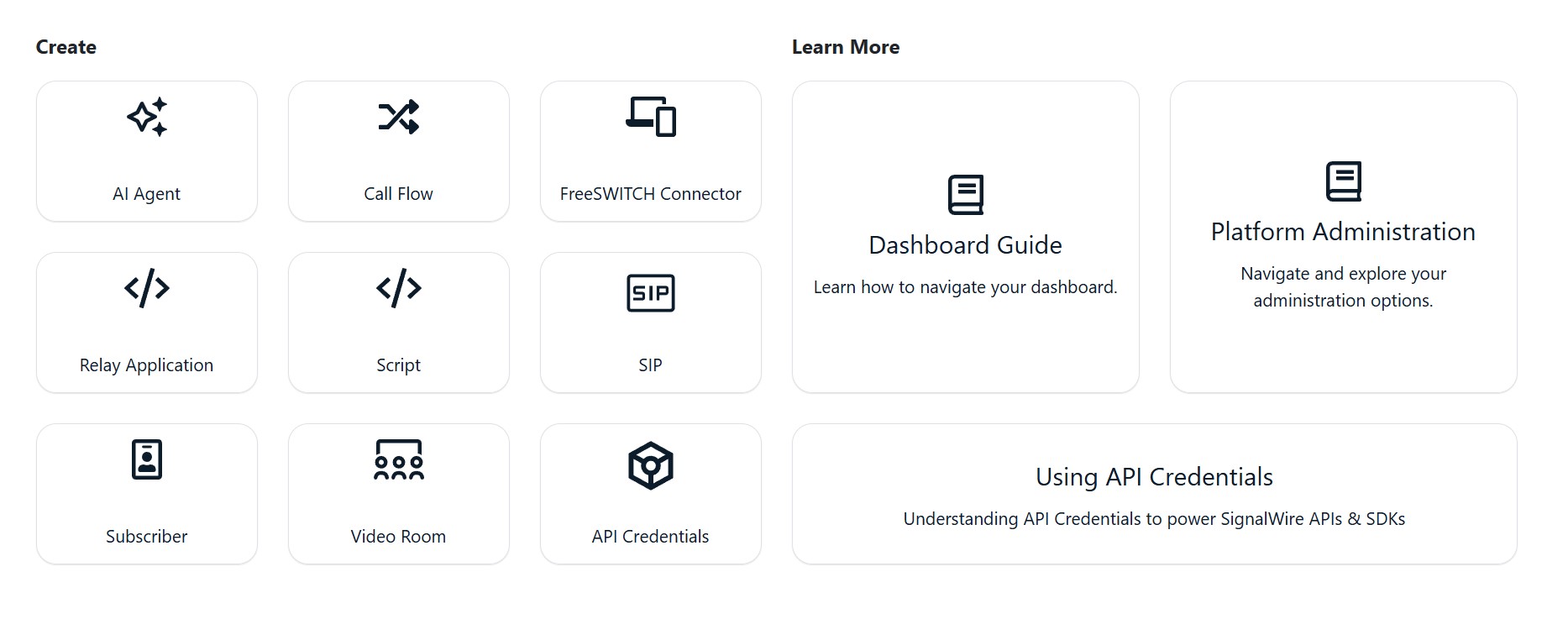
The Home Dashboard has a new look! To improve navigation, usability and access to resources the expandable info panel has been removed and you will now see a cleaner, text-based dashboard.

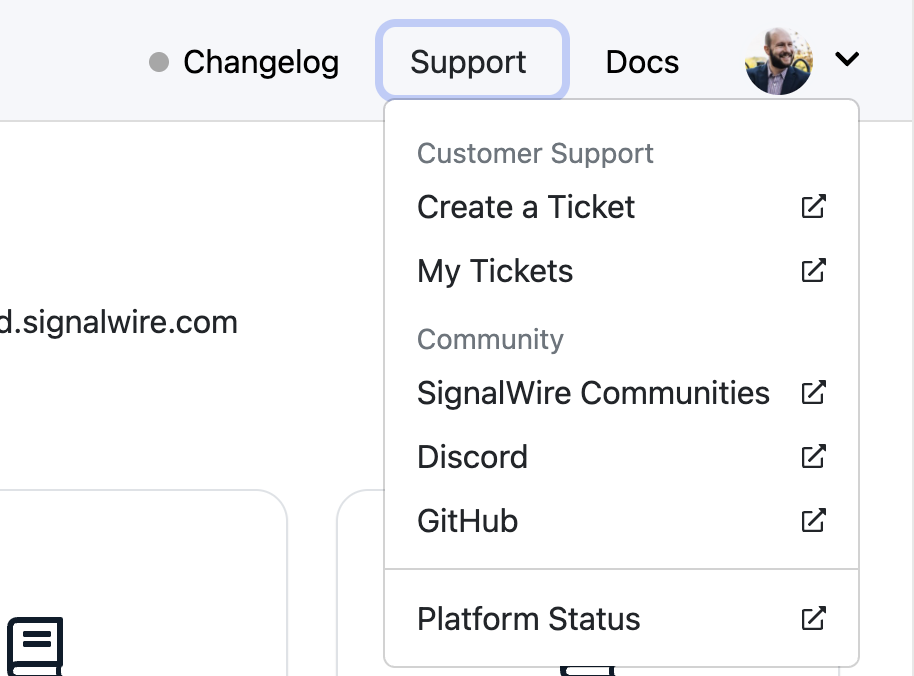
  • New dedicated links for Changelog, Support, Docs, and Community resources can be found in the top right menu, Including direct access to the Status page and Documentation links ( that now open in a new window for easier reference)

⚠️ Shutdown of Bahrain RTC POP

The Bahrain RTC POP will be retired on March 27, 2026.

  • Calls will automatically route to the next closest available node. No action needs to be taken at this time.

  • Any active calls on this node will continue until completion.

View All Release Notes

Did you like this update?

LikeNeutralDislike

{error_message}

Leave your name and email so that we can reply to you (both fields are optional):

Thanks for your feedback!

New Voice Analytics Dashboard 📈

by Chelsea Batschke
Announcements

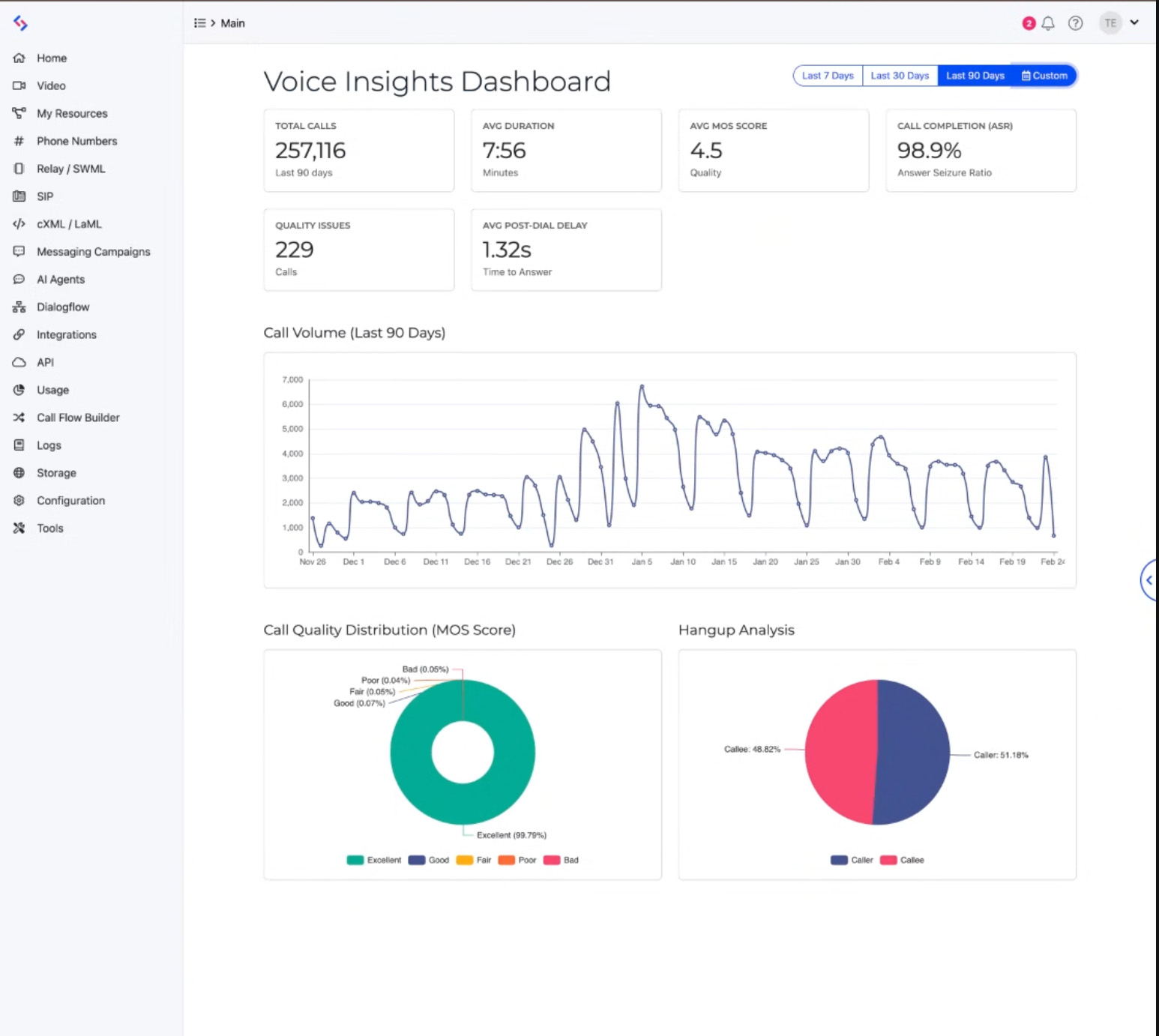
Introducing a new Voice Analytics Dashboard, giving you a high-level view of voice call health across your project.

This new dashboard makes it easier to identify potential issues, monitor performance trends, and understand overall voice health — all without needing to build custom observability workflows.

Where to find the new dashboard.

The Voice Analytics Dashboard is now available. Navigate to “Analytics” from the left hand menu select the submenu “Voice”.


We want your feedback!

Once you have had time to use the new dashboard, we would love to hear your feedback! Take the Voice Analytics Dashboard Feedback Survey.

Did you like this update?

LikeNeutralDislike

{error_message}

Leave your name and email so that we can reply to you (both fields are optional):

Thanks for your feedback!

3/6/2026 Releases: [Highlight]

by Chelsea Batschke
Release Notes

Explore this weeks updates and releases! 🔎

✨ Code Editor Toolbar Improvements

The code editor toolbar has been enhanced for easier script management.
You can now
copy scripts directly from the toolbar, and read-only editors still provide access to tools like copy and resize.


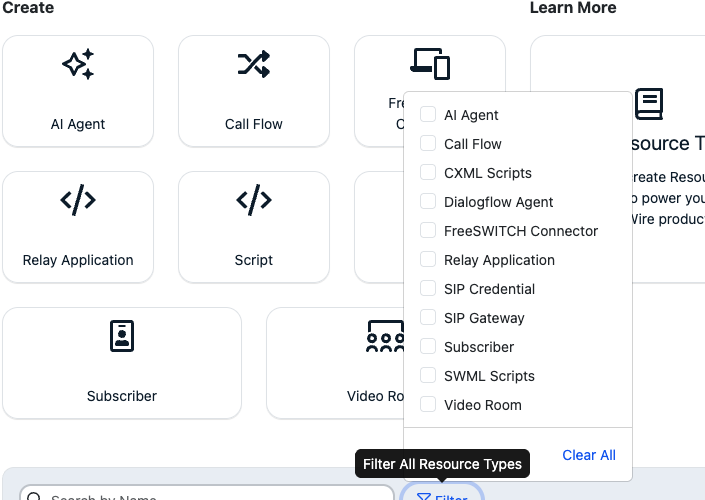
🧪 New “Click to Test” Button

You can now test resources directly from the browser.
A new
Click to Test button on the Resource detail screen lets you initiate a test call without assigning a handler or using an external phone.

View All Release Notes

Did you like this update?

LikeNeutralDislike

{error_message}

Leave your name and email so that we can reply to you (both fields are optional):

Thanks for your feedback!

2/20/2026 Releases: [Highlight]

by Chelsea Batschke
Release Notes

Explore this weeks updates and releases! 🔎

🛠 Bug Fixes

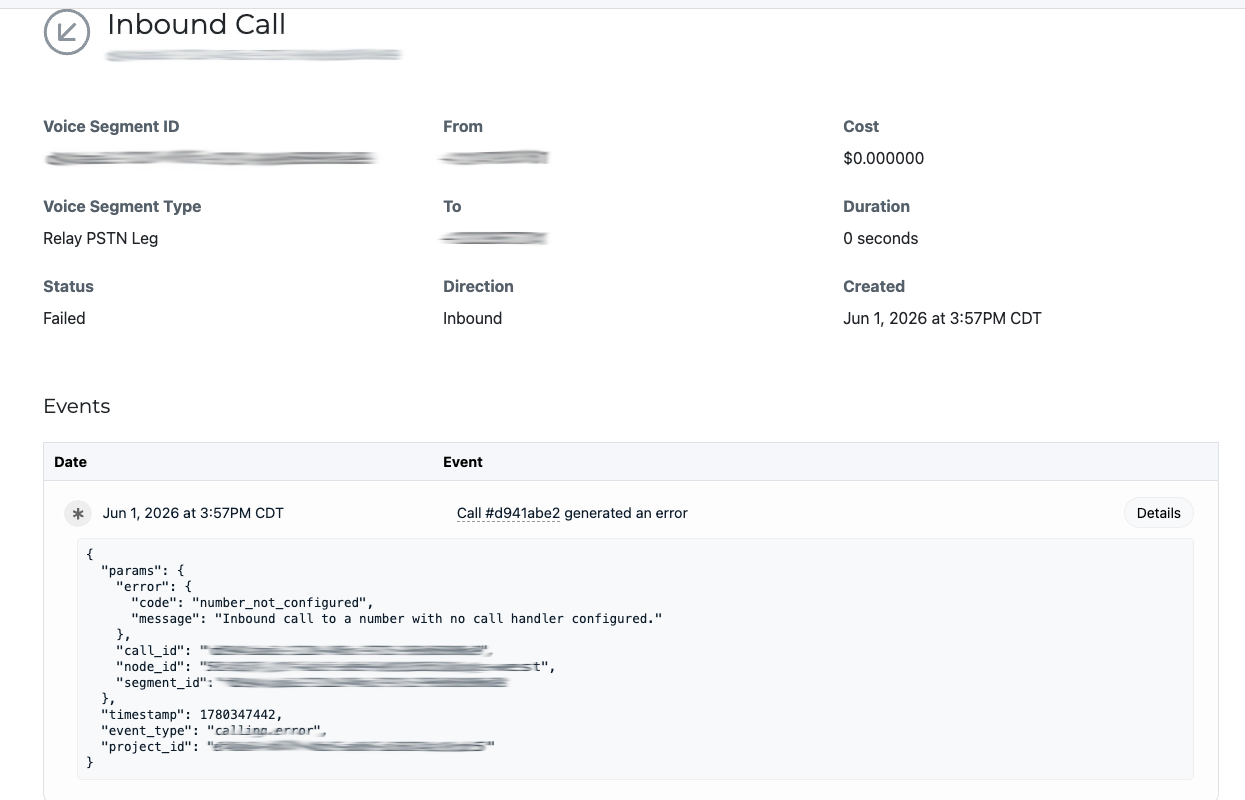
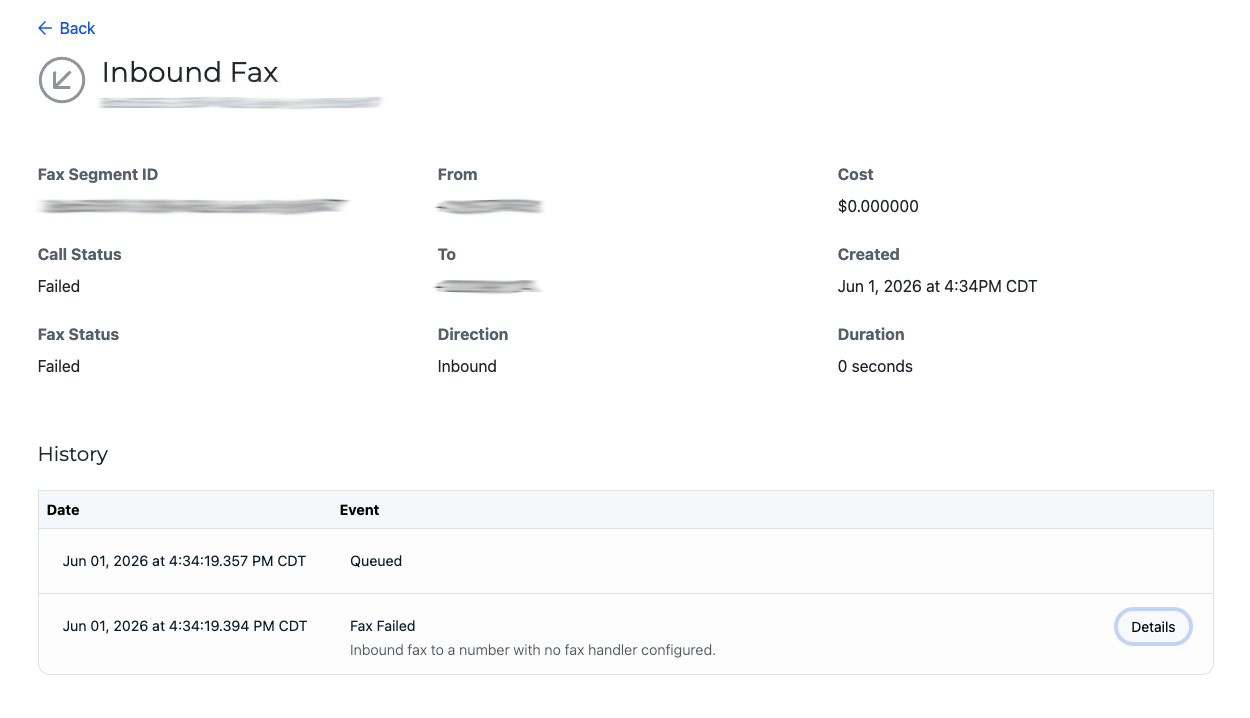
Inbound Messages Now Visible in Logs
Inbound messages sent to numbers without a handler assigned will now appear in logs.
Why it matters: Improved troubleshooting and full message visibility.

Phone Number Status Callback Update Restored
Fixed an issue preventing status callback URLs from being updated when a Relay application handler was assigned.
Why it matters: Phone number configurations now update as expected.

FriendlyName Persists via Compatibility API
The optional FriendlyName field now stores correctly when creating numbers through the Compatibility API.
Why it matters: More reliable API configuration.

View All Release Notes

Did you like this update?

LikeNeutralDislike

{error_message}

Leave your name and email so that we can reply to you (both fields are optional):

Thanks for your feedback!

2/6/2026 Releases: [Highlight]

by Chelsea Batschke
Release Notes

Explore this weeks updates and releases! 🔎

New Call Quality Metrics

We’ve added Call Quality Metrics to your call details view to help you quickly understand call performance and troubleshoot audio issues. You can now review:

  • MOS score (overall audio quality)

  • Jitter (audio stability)

  • Packet loss & packet stats (network impact on audio)

  • DTMF and advanced metrics (helpful for diagnosing keypad/IVR interactions)

These metrics are available on a per-call basis so you can pinpoint what happened and share details with your team faster.

Improved SWML Script Editor
We’ve unified the code editor experience across legacy Spaces and the Call Fabric UI. There is now one editor with improved usability and validation features, including:

• Formatting improvements (multi-line rendering and cleaner defaults)
• Syntax checks for YAML/XML (basic error detection)
• Schema validation for SWML (YAML)
• Resizable editor options
• Default starter content when creating a new SWML Script (no more blank editor)

View All Release Notes

Did you like this update?

LikeNeutralDislike

{error_message}

Leave your name and email so that we can reply to you (both fields are optional):

Thanks for your feedback!

1/23/2026 Releases: [Highlight]

by Chelsea Batschke
Release Notes

Explore this weeks updates and releases! 🔎

Improved Campaign Setup Guidance

We’ve improved the tooltips in the managed campaign creation flow to make setup clearer and more intuitive. Tooltips that previously referenced default values now display example values, helping you better understand what inputs are expected as you configure your campaign.

Clearer Keyword Field Examples

We’ve also updated the keyword-related tooltips in the managed campaign creation form. These tooltips now provide example keywords instead of referencing defaults, reducing confusion and making campaign setup faster and easier.

View All Release Notes

Did you like this update?

LikeNeutralDislike

{error_message}

Leave your name and email so that we can reply to you (both fields are optional):

Thanks for your feedback!

12/19/2025 Releases: [Highlight]

by Chelsea Batschke
Release Notes

Explore this weeks updates and releases! 🔎

New Features

Unified Conferencing View:
All audio and video conferences are now accessible from a single location in the Dashboard. Users can navigate to
Logs → Conferencing to view recent conference sessions in one consolidated list.


Improvements & Enhancements

Enhanced Voice Log Filtering:
The
/logs/voicesview now supports filtering by both minute and second, allowing for more precise log inspection and troubleshooting.

Clearer cXML Event Updates:
Event views now provide more transparent details when cXML (LaML) calls are updated via the API. These updates are visible either in the
/laml-calls view or the /logs/voices view.

New Cloud Agreement

An updated SignalWire Cloud Agreement will go into place effective January 1, 2026. A user from each Space will need to accept the new agreement starting on January 1, 2026 in order to continue accessing the dashboard. Clicking “I Agree” in the dashboard or otherwise continuing to access or use SignalWire’s services constitutes agreement to the updated SignalWire Cloud Agreement.

View All Release Notes

Did you like this update?

LikeNeutralDislike

{error_message}

Leave your name and email so that we can reply to you (both fields are optional):

Thanks for your feedback!

Action Required: New Cloud Agreement ☁️

by Chelsea Batschke
Announcements

Effective January 1, 2026, SignalWire is implementing an updated Cloud Agreement. To ensure uninterrupted access to your dashboard, one user from your Space must review and accept the new agreement.

What to expect: Starting January 1, 2026, you'll see a prompt to review the new agreement when accessing your dashboard. Once any user in your Space accepts the terms, all team members will regain full access.

Did you like this update?

LikeNeutralDislike

{error_message}

Leave your name and email so that we can reply to you (both fields are optional):

Thanks for your feedback!

New Requirements for Text Messaging on U.S. Phone Numbers

by Chelsea Batschke
Announcements
Messaging

Starting December 15, 2025, any new U.S. local phone numbers will not have messaging capabilities enabled by default. This change helps us combat spam and phishing while continuing to build trust with our carrier network.

Will This Affect You?

If you already have U.S. local numbers with messaging, you're all set—nothing changes for you.

New U.S. local numbers purchased after December 15, 2025 will require activation before you can send or receive text messages.

If you plan to purchase new U.S. numbers after December 15th for texting, here's what to expect:

  • Sending texts to customers? Messaging will activate automatically once you register your campaign with The Campaign Registry (a quick process we can help you with).

Only receiving texts? Reach out to our Carrier Operations team, and we'll enable messaging capabilities for you—no campaign registration required.

Need help? Contact us at [email protected].

Did you like this update?

LikeNeutralDislike

{error_message}

Leave your name and email so that we can reply to you (both fields are optional):

Thanks for your feedback!